
Features
53 features of the Repva iPhone app. Each has a page with the app's screens and the steps to use it.
Logging
14 features
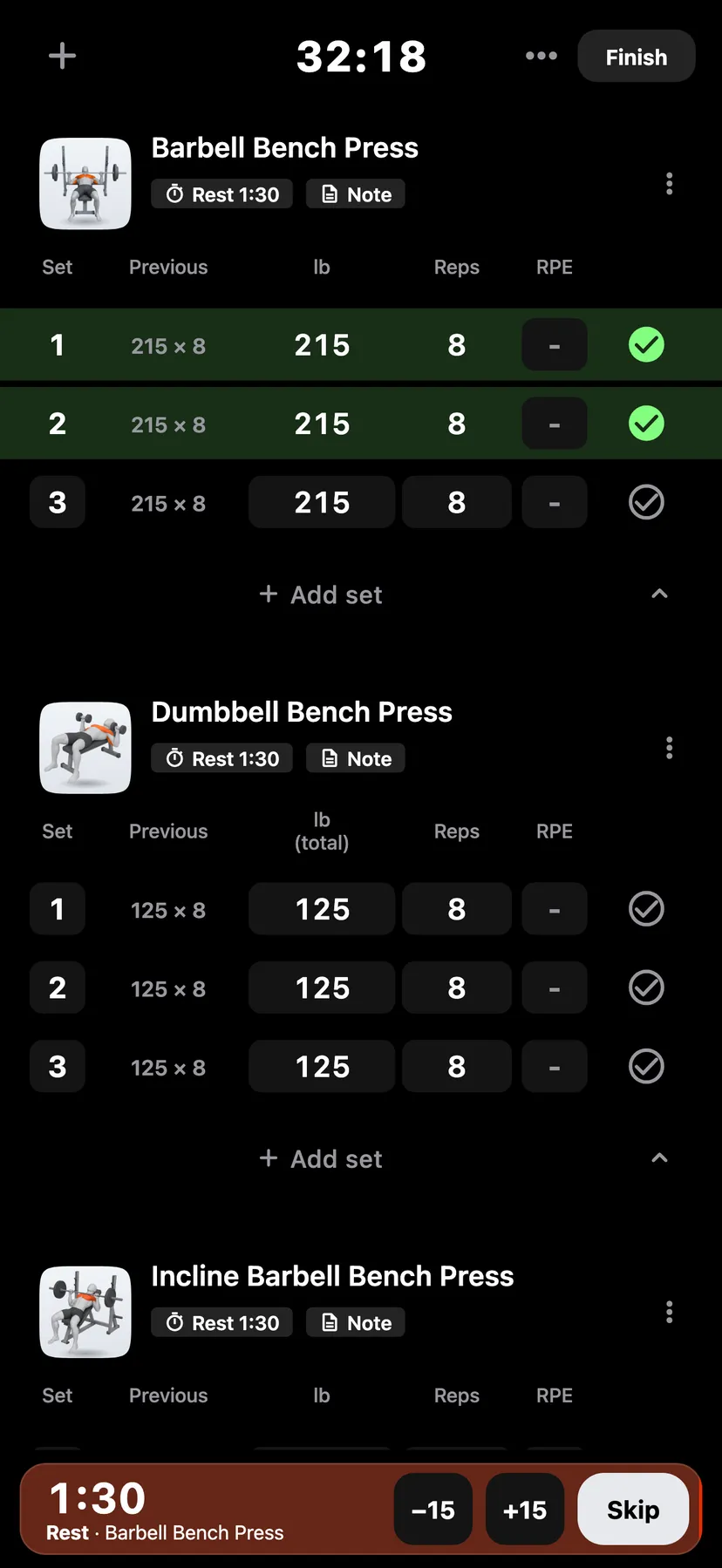
- Workout LoggingEnter the weight and reps for each set, then tick it when it's done.
- Previous SetsThe Previous column shows the same set from your last workout, and a tap copies it in.
- Rest TimerTicking a set starts a rest timer, 90 seconds unless you set another length on the exercise.
- Rest Timer on the Lock ScreenThe rest timer counts down on the Lock Screen and in the Dynamic Island.
- Warm-up, Drop and Failed SetsMark a set as a warm-up or a drop set, or tag it as failed.
- RPE and TempoRate how hard a set felt as RPE, and note its tempo.
- SupersetsLink exercises into a superset.
- Swap ExerciseSwap an exercise during a workout.
- Exercise NotesWrite a note under any exercise in a workout.
- Live RecordsWhile you type a set, a line under it shows how many reps would set a record at that weight.
- Log a Past WorkoutPick an earlier day on Train's week strip or the Training calendar to log a workout you didn't record at the time.
- Stretches and HoldsAdd stretches to any workout.
- Offline LoggingRepva saves each set on your iPhone as you log it, so you can train with no signal.
- Apple Watch LoggingStart a routine or an empty workout on Apple Watch, log sets with the Digital Crown and use rest timers.
Routines
5 features
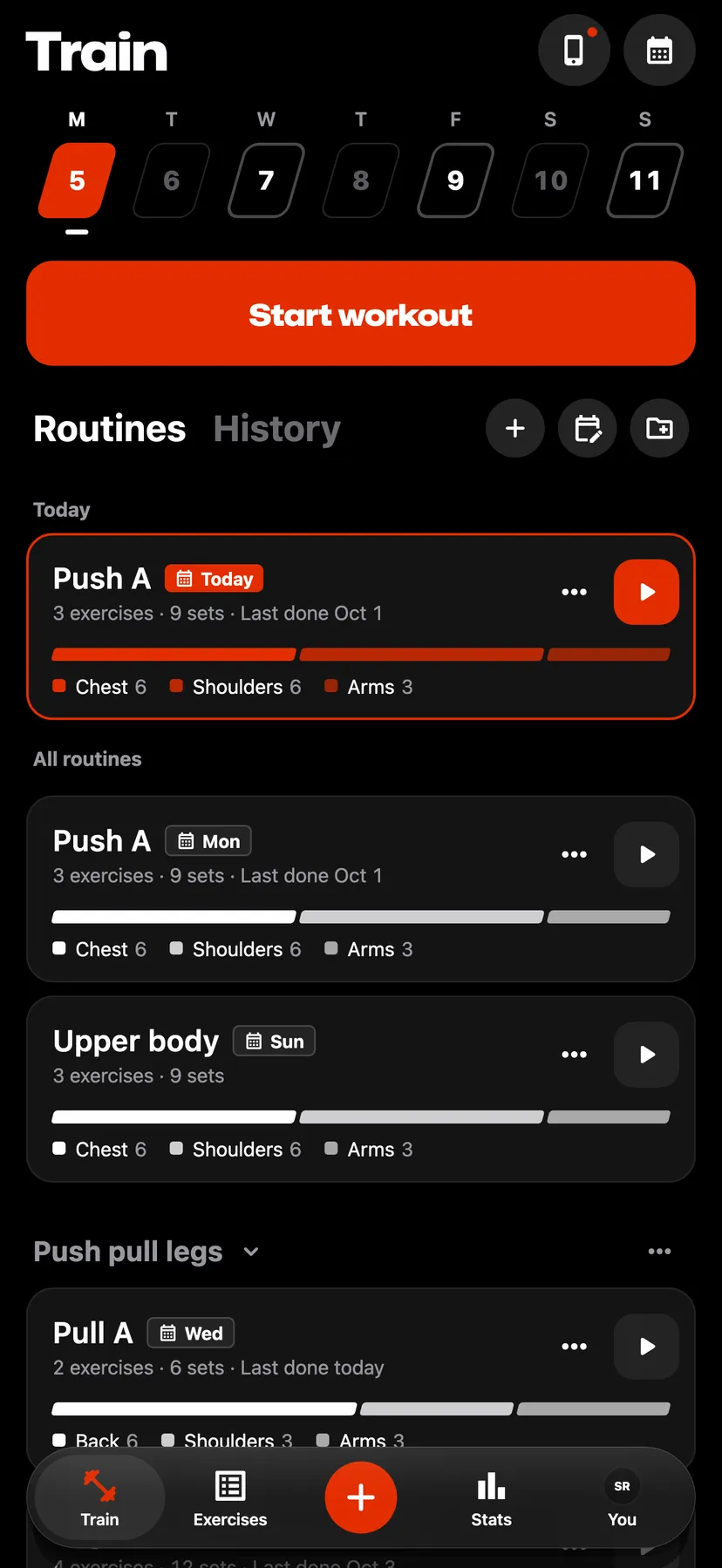
- RoutinesSave the exercises, sets, rep targets and rest times you use, then start a workout from the routine with one tap.
- FoldersGroup routines into folders and drag them into any order.
- Weekly ScheduleIf you want, put routines on days of the week, and Repva shows them on Train that day.
- Save as RoutineTurn any past workout into a routine.
- Routine HistoryEach routine charts the volume, reps or duration of every workout you started from it, and shows the muscles it works.
Exercises
5 features
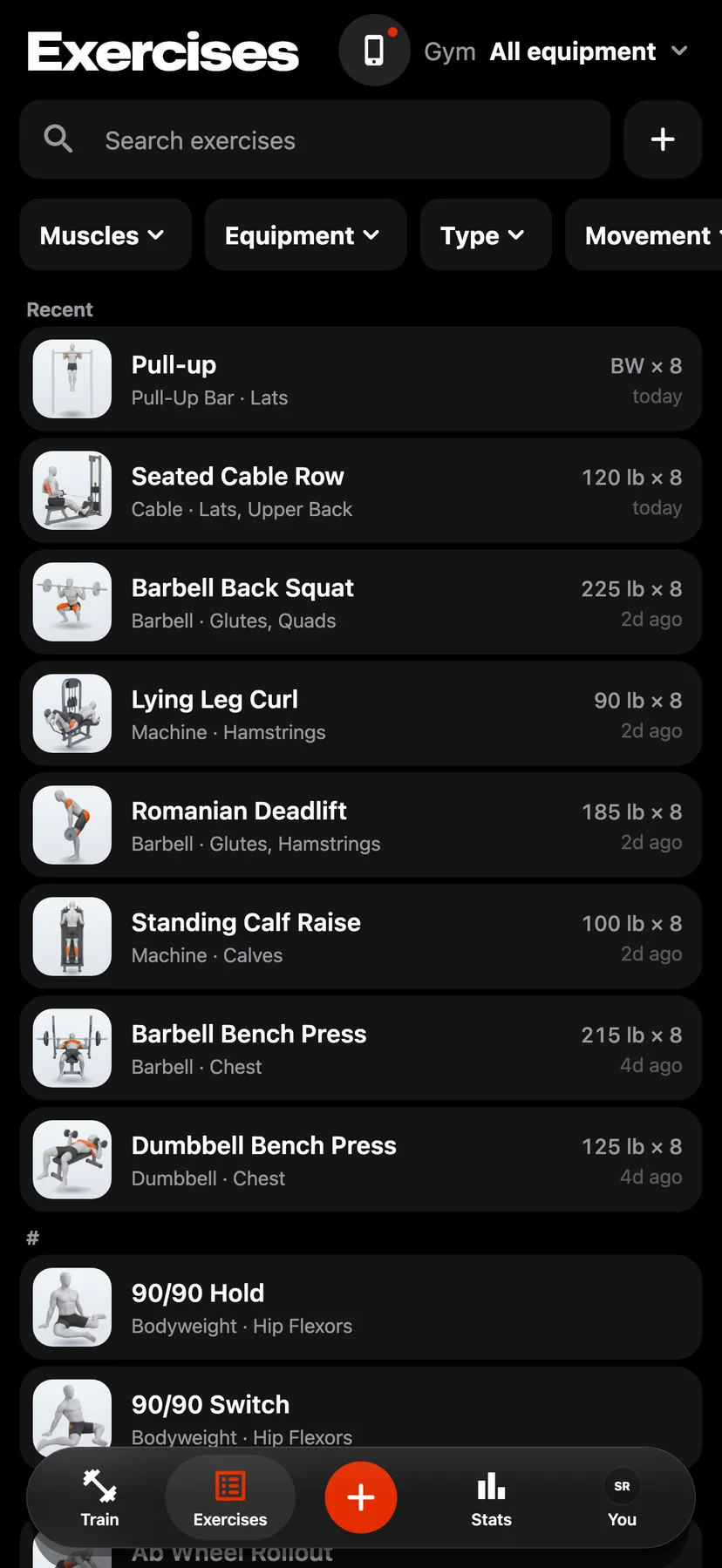
- Exercise LibraryThe app has hundreds of exercises, each with an illustration, instructions, equipment and the muscles it works.
- Custom ExercisesAdd your own exercises one step at a time, with the muscles they work and how you log them.
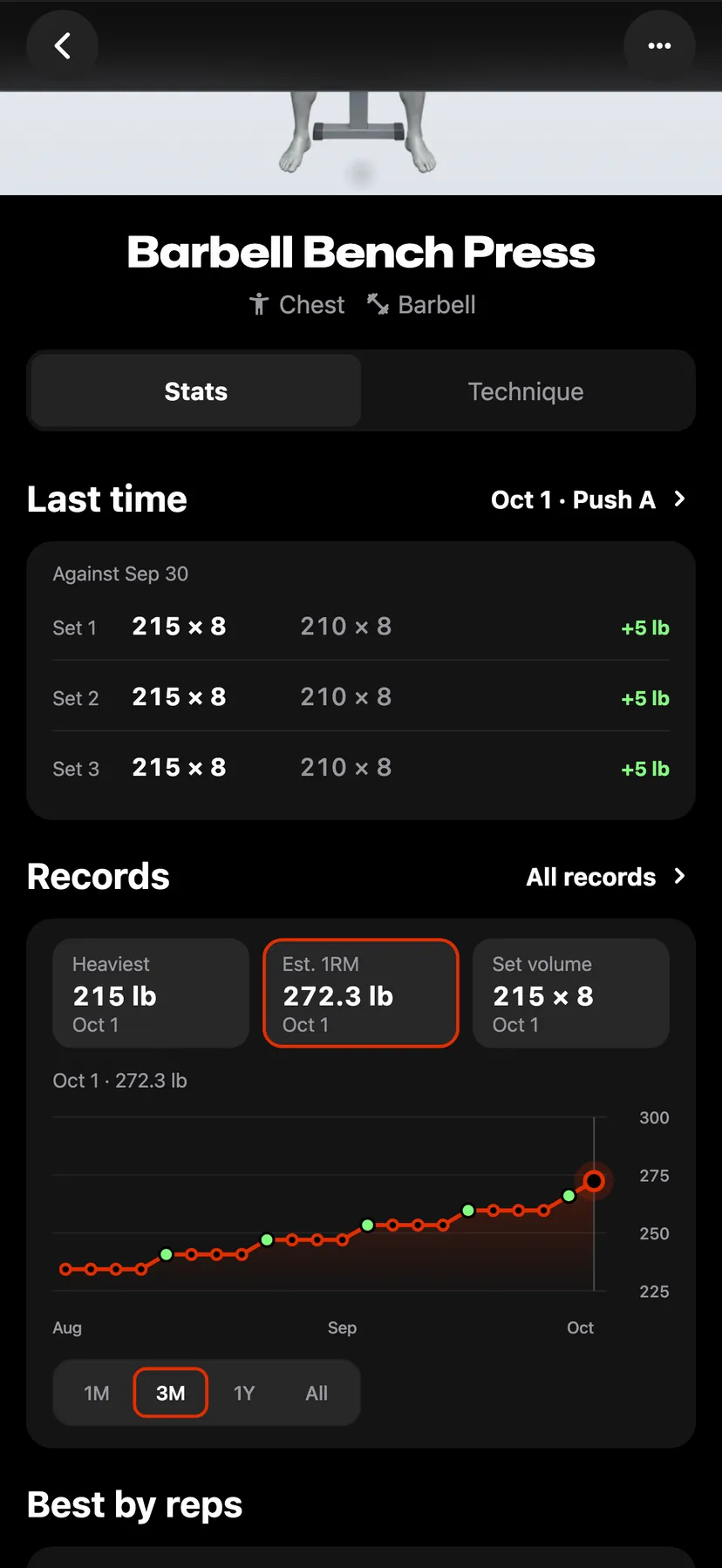
- Exercise HistoryEvery exercise has a page with its chart, its records, every session you've logged and how-to instructions.
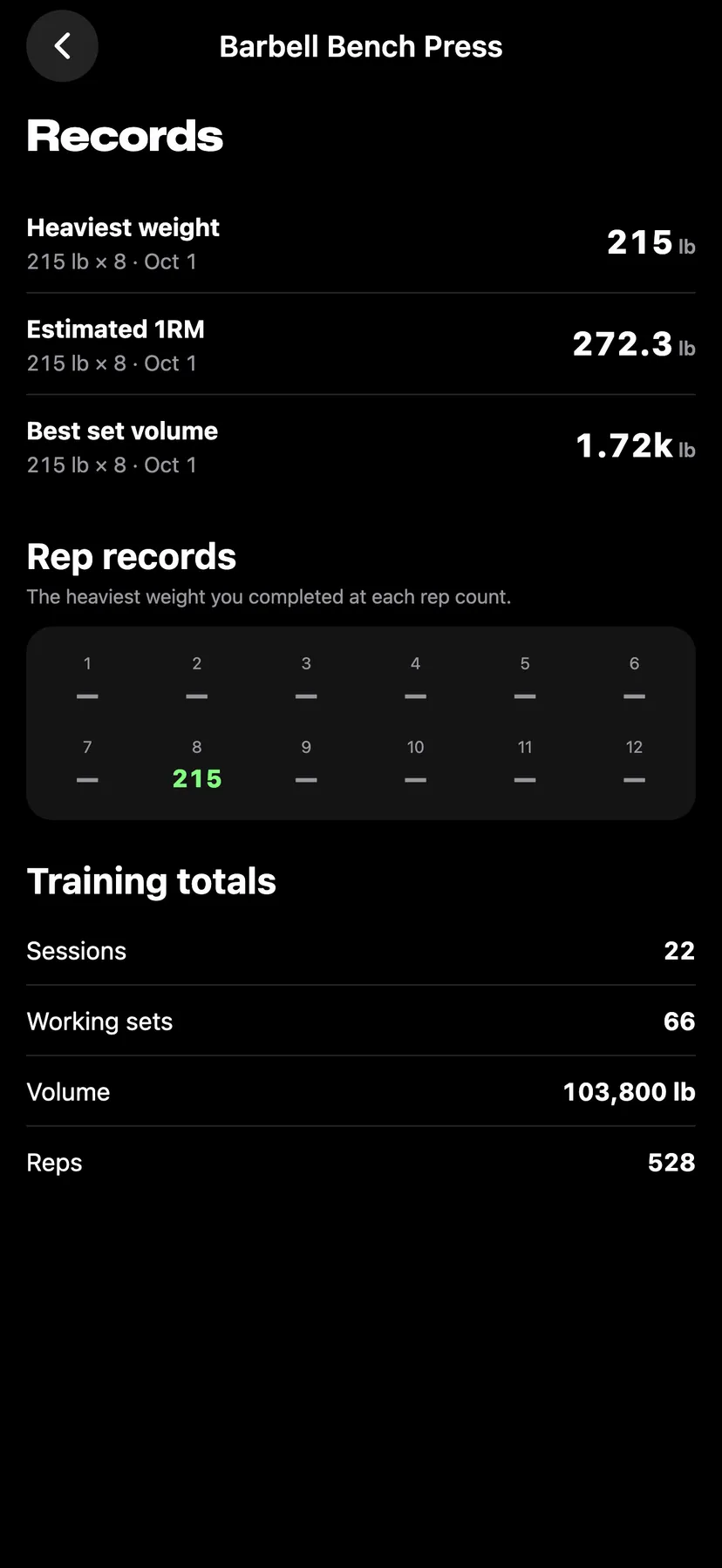
- Rep RecordsAn exercise's page lists the heaviest weight you've lifted for each rep count from 1 to 12.
- Top ExercisesTop Exercises, opened from Stats, ranks the exercises you've done in the most workouts over 30 days, 3 months, a year or all time, with each one's best set.
Stats and records
17 features
- Personal RecordsRepva tracks your best weight, reps, estimated one-rep max and set volume for every exercise.
- Strength ProgressStats opens on the lifts you trained most, each with a line of its sessions and its change over the last 3 months, 6 months, year or all time.
- All RecordsStats counts the records you set each month for the last 12 months.
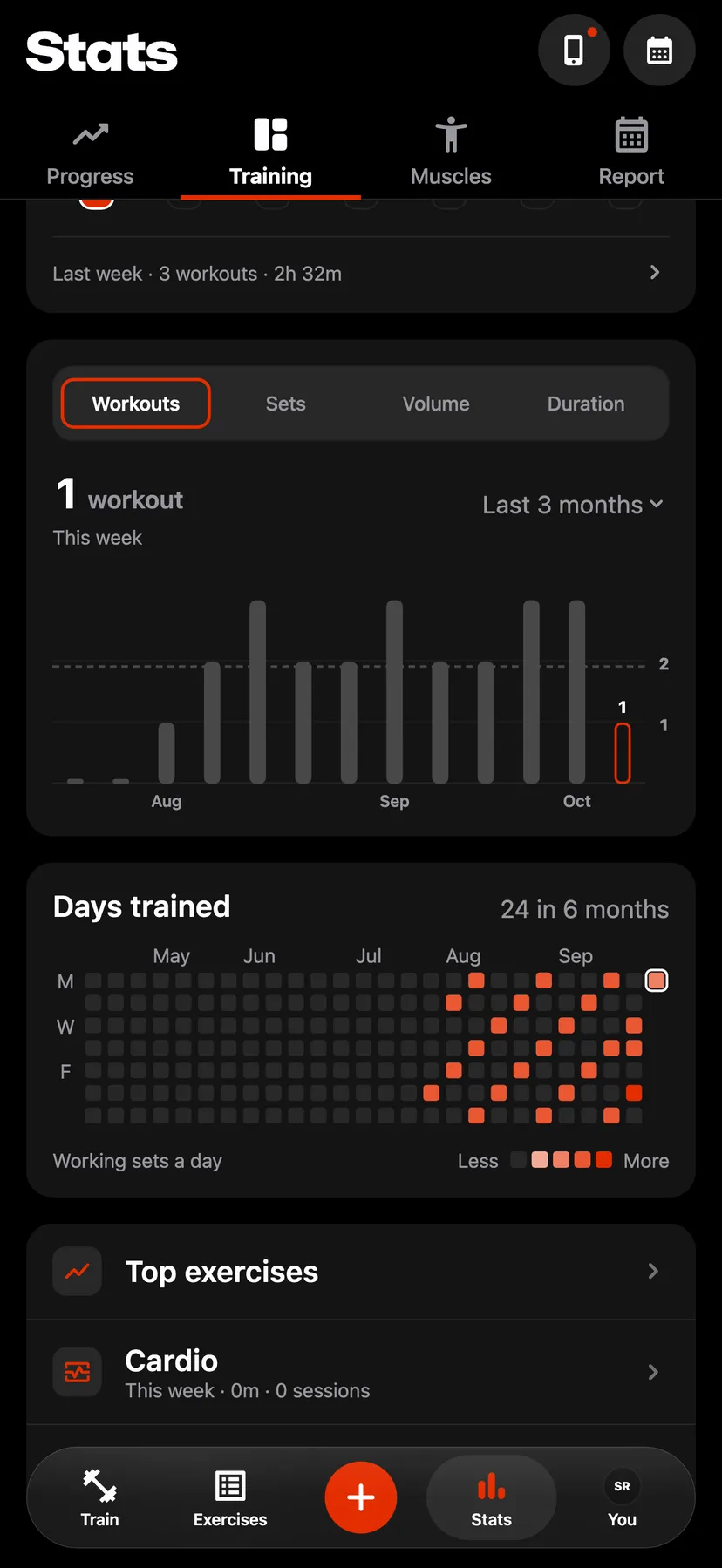
- Training StatsThe Training tab in Stats shows this week's workouts and time next to last week's.
- Progress ChartsCharts show your strength, volume, bodyweight and steps back to your first workout.
- MusclesThe Muscles tab in Stats shows the working sets a week each muscle group received over 30 days, 3 months, a year or all time.
- Monthly ReportThe Report tab in Stats totals a month of workouts, training time, volume, records and muscles, and you can share it as images.
- CardioThe Cardio page in Stats charts your time, distance and sessions, lists your 3 newest sessions with their pace, and adds up your all-time totals.
- Best EffortsRepva finds your fastest mile, 5K, 10K, half marathon and marathon in your Apple Health runs, and your fastest distances in your rides, walks and hikes.
- MobilityThe Mobility page in Stats shows this week's stretching days and time, a trend, and the 5 stretches you've done most in the last 90 days with your longest hold.
- Workout SummaryAfter each workout, Repva shows its duration, volume, working sets, records and the muscles it worked, then each exercise with its top set and its sets.
- Share ImageShare a workout as a square image.
- Workout HistoryHistory on Train lists every workout you logged under its week, with the week's workouts, time and records.
- Training CalendarThe calendar button on Train or Stats opens each month's training days.
- Weekly StreakThe streak counts the weeks in a row that have at least one strength workout.
- Streak ReminderWhen your streak's week is still empty, Repva sends one reminder at 6 PM on the week's last day.
- Body MeasurementsLog bodyweight, body fat, lean mass and your waist, chest, hip, arm and thigh measurements, and see each one on a chart.
Apple Health and iPhone
6 features
- Apple Health CardioRepva imports runs, rides, swims and 22 other kinds of cardio from Apple Health, including workouts from your Apple Watch.
- Weight from Apple HealthRepva can copy each day's latest weigh-in from Apple Health into your bodyweight.
- Save Workouts to Apple HealthTurn on Save my workouts, and Repva saves each workout you finish to Apple Health as strength training.
- StepsTurn on Steps to see today's count from Apple Health against your usual day, set a daily goal, and look back over the last 30 days and the whole year.
- Home Screen WidgetA small or medium widget shows today's steps and how many workouts you've logged this week.
- AppearanceChoose a light or dark look, or let Repva follow your iPhone's setting.
Your data
4 features
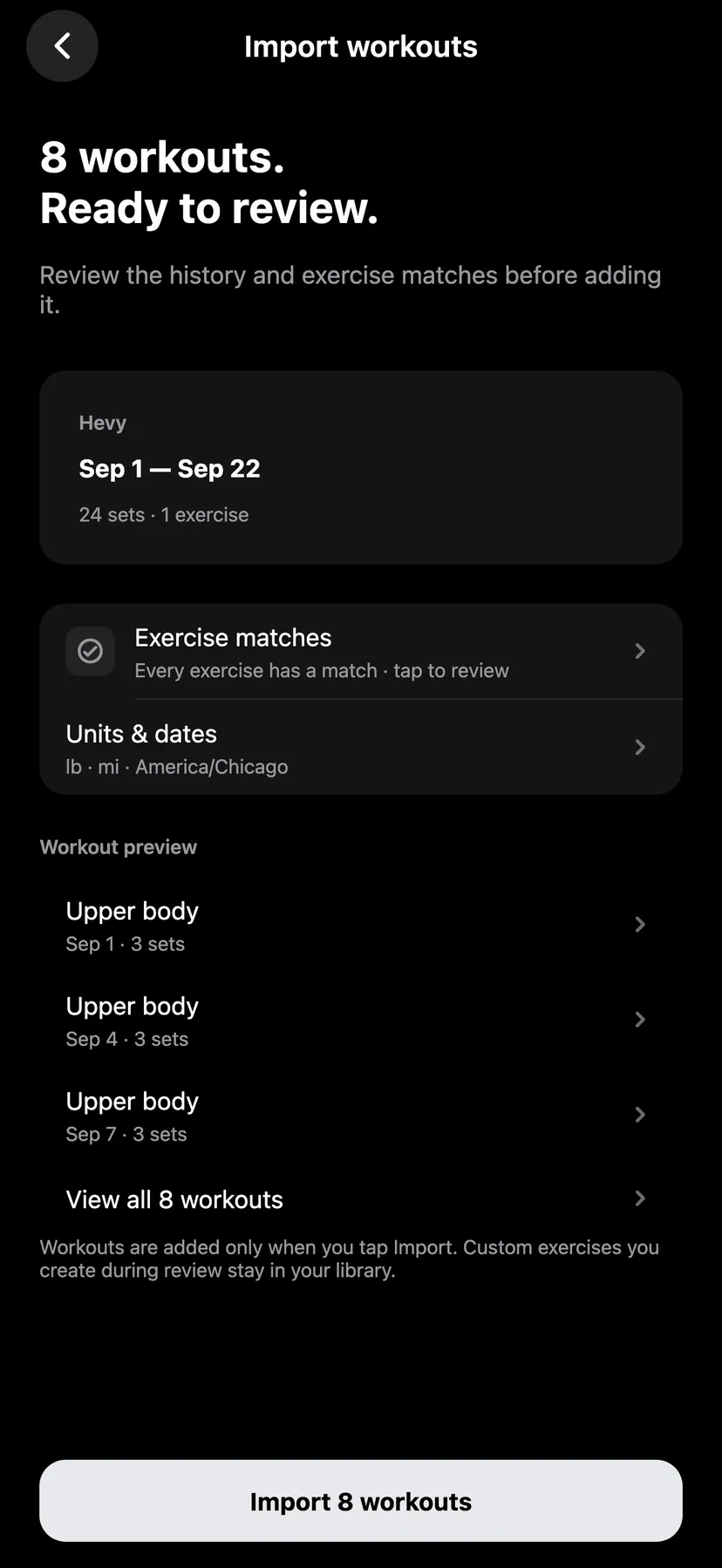
- Import from Hevy and StrongRepva imports your workout history from a Hevy or Strong CSV export, after a preview where you match any exercise names it doesn't recognize.
- ExportExport everything you've logged as a JSON file or as CSV spreadsheets.
- Use Without an AccountRepva works without an account, and everything you log stays on your iPhone.
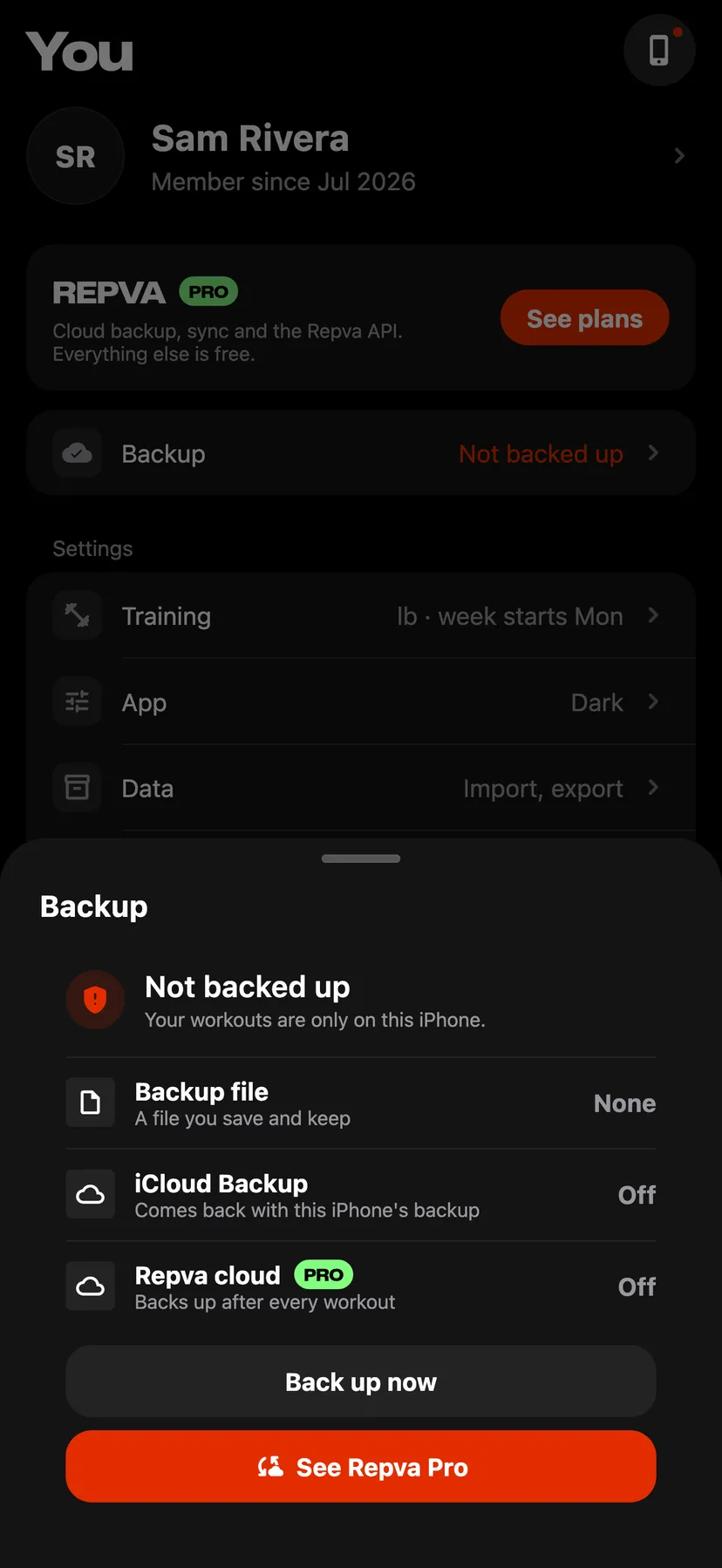
- Backup and RestoreOn You, under Data, Backup and sync saves your log as one file you keep in Files, iCloud Drive or email, and restores it on any iPhone.
No feature matches.