
Example data
All Records
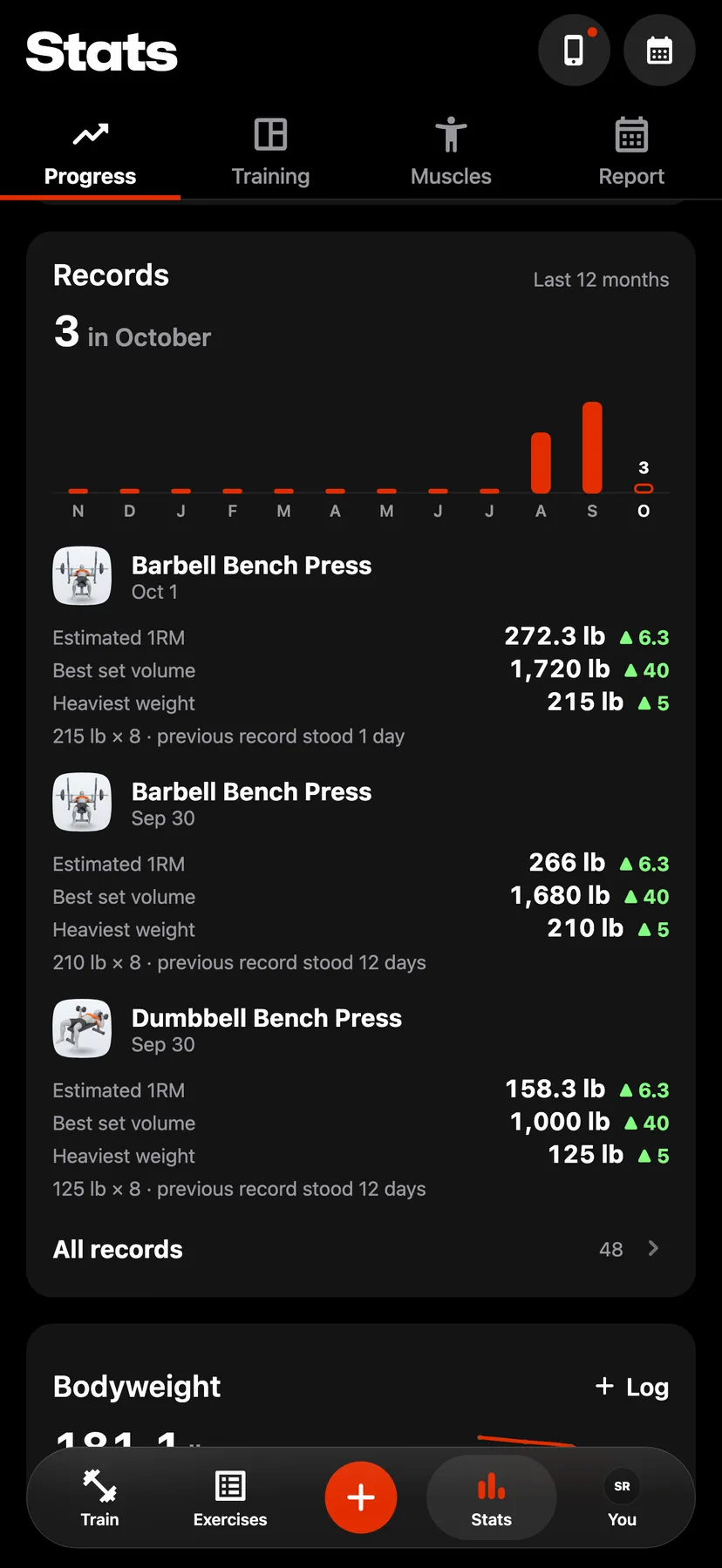
The Records card on the Progress tab counts the records you set this month over the last 12 months. All records lists every record you hold, on every exercise.
WhereStatsthenProgressthenRecords
- 1
Tap Stats in the dock and scroll Progress to Records. The card shows this month's count, a bar for each of the last 12 months and your three newest records.
- 2
Tap All records. Records lists every record you hold, newest first under its month. Records one exercise set in one workout share a row, each with its figure and its gain.
- 3
Show one month
Tap a month's bar at the top of Records to list only that month. Tap it again to list every month.
- 4
Show one exercise
Tap the lift control and choose an exercise. Type in Search to find it by name. Choose All lifts to list every exercise again.
- 5
Open the workout
Tap a row to open the workout the record was set in.
Details
- The list holds strength and cardio records.
- A row also shows the set that holds the record and how many days the record before it had stood.
- A pace record shows no gain.
Related features
Checked against the app on November 13, 2026.