
Example data
Progress Charts
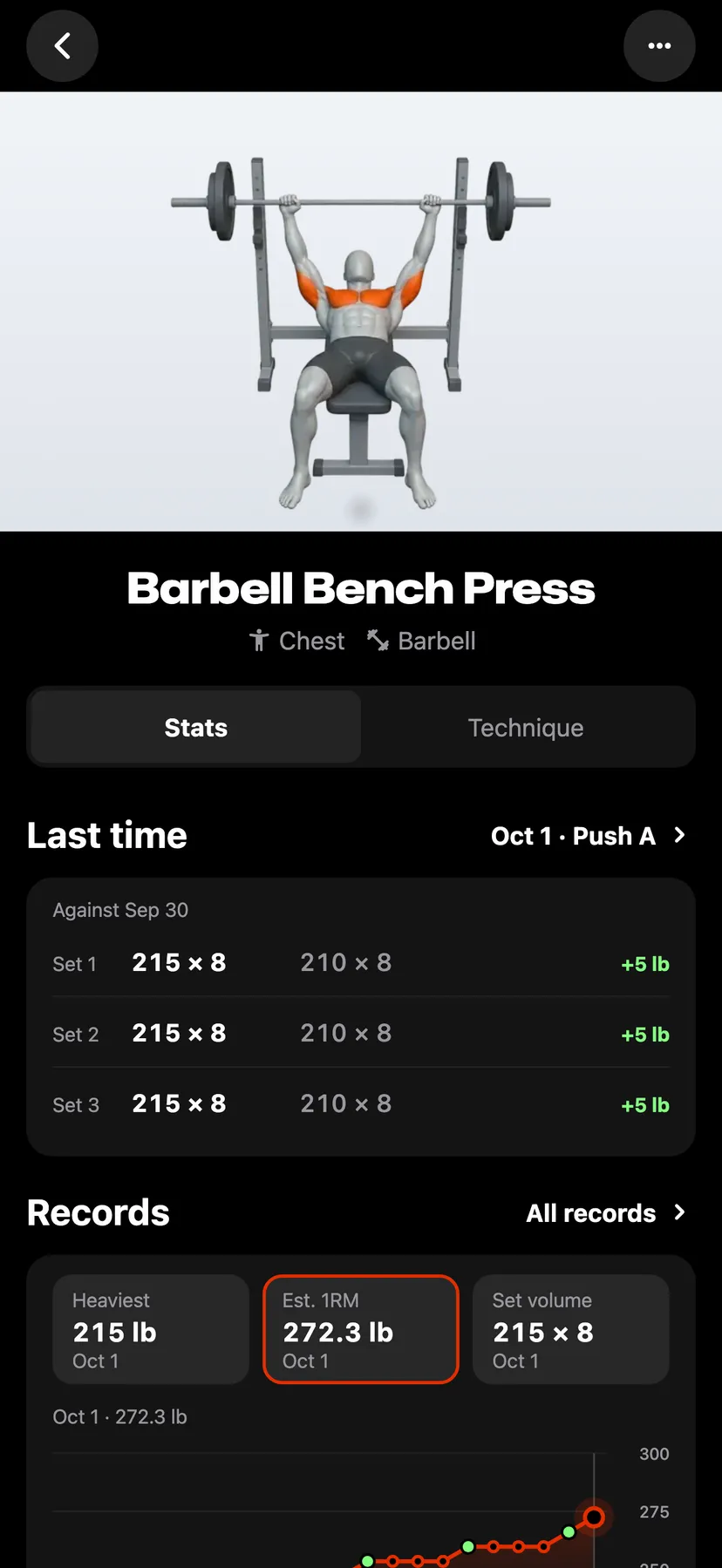
Each exercise's page charts its records over its sessions. Stats charts your lifts and your strength workouts, the Body page charts bodyweight and measurements, and the Steps page charts steps.
WhereExercisesthenStatsthenRecords
- 1
On the Exercises tab, tap an exercise. An exercise with logged sets opens on Stats. The chart is on the Records card.
- 2
Tap a record tile above the chart. An exercise logged with weight and reps has Heaviest, Est. 1RM and Set volume. An exercise with one record has one tile and no choice.
- 3
Choose 1M, 3M, 1Y or All under the chart. The chart opens on 3M.
- 4
Tap an earlier point to read that session's figure and its set, then tap View workout to open the workout.
- 5
In Stats, the Strength card on the Progress tab draws each lift's sessions as a line beside its change over a range from Last 3 months to All time.
- 6
In Stats, the Training tab charts Workouts, Sets, Volume or Duration as bars over a range from Last 7 days to Last year.
Details
- All starts at the exercise's first session.
- Warm-up sets add no point. A failed set counts the reps you completed.
- A dot on the line marks each session that set a record.
- An estimated 1RM is worked out from the weight and reps you logged. It is not a tested maximum.
- An exercise logged in reps alone charts Most reps. A hold charts Longest hold.
- In Stats, Bodyweight on the Progress tab opens the Body page. The Steps row on the Training tab, which shows while Steps is on, opens the Steps page.
- Every chart and range is in Free and Pro.
Related features
Checked against the app on November 13, 2026.