
Example data
Weekly Schedule
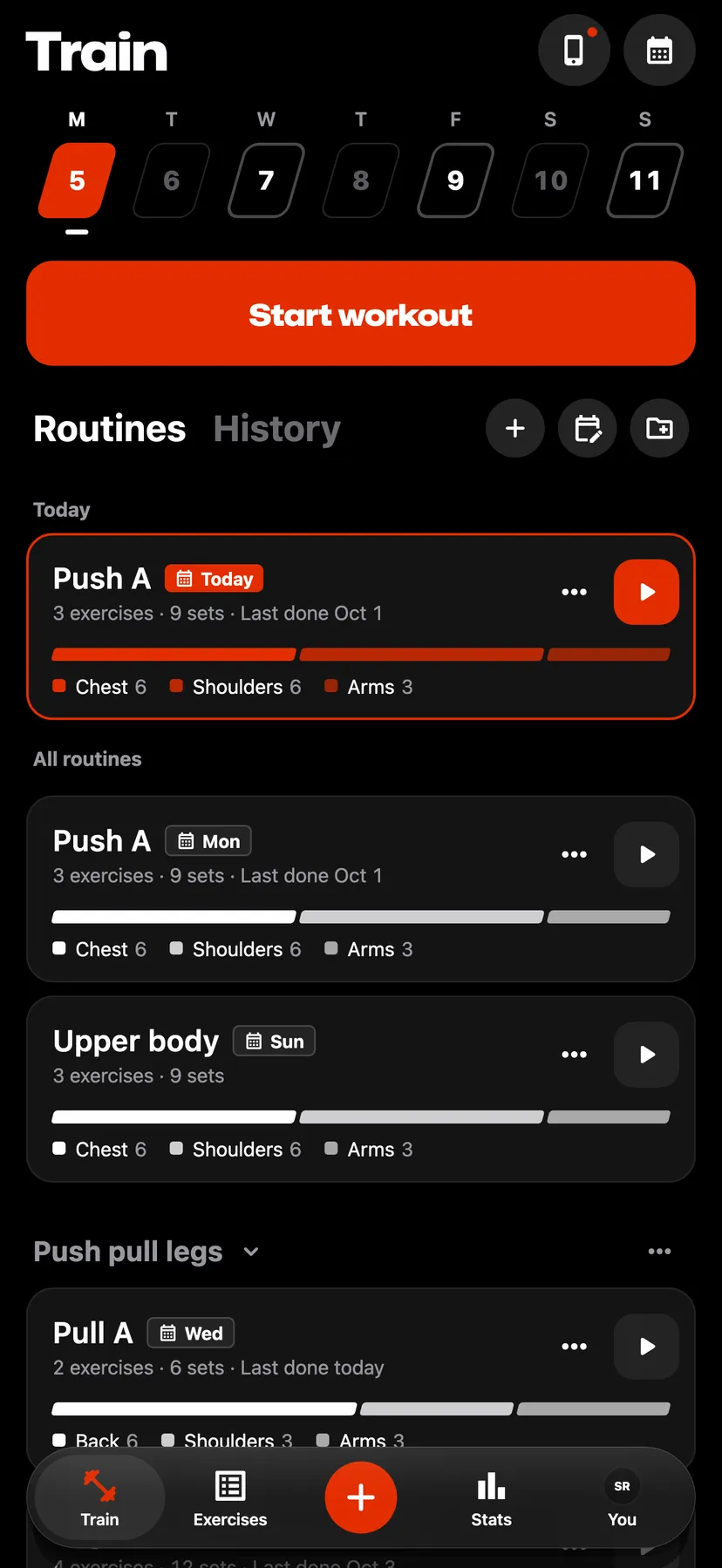
The weekly schedule puts routines on days of the week. On those days Train lists the routine under Today. Scheduling is optional.
WhereTrainthenRoutinesthenSchedule
- 1
On Train, tap the calendar button in the Routines heading. The button shows once you have a routine.
- 2
Tap a weekday to open the list of routines for that day.
- 3
Pick the day's routines
Tap a routine under Other routines to put it on the day. When a day has more than one routine, hold and drag them under Scheduled to set their order, then tap the back arrow.
- 4
Tap Done. Cancel, or closing the sheet, discards the changes.
- 5
On a scheduled day, Train lists the routine under Today, above All routines, and its card there has a Today tag. After you log a workout started from it that day, the tag reads Done today. Under All routines the same routine shows its days.
Settings
- Remind me on these days
- Off by default. Open a routine, tap Schedule under its exercises and turn it on to get a notification on this iPhone on the routine's days. The switch shows once the routine has a day, and the reminder leaves out a routine you already did that day.
- Reminder time
- 8:00 AM by default. It shows under Remind me on these days while the reminder is on, and the one time applies to every routine's reminder on this iPhone.
- Week starts
- Mon by default. Mon or Sun sets the first day of the Schedule sheet and of Train's week. To change it, open Training on the You tab.
Details
- A scheduled routine is a routine you chose to see on that day. When the day passes without it, the routine does not carry over and nothing is marked as missed.
- The schedule repeats every week, and scheduling creates no workout.
- A single routine can be scheduled from Schedule routine in its ⋯ menu, or from Schedule on its page. The page names the routine's days under its name.
- On Train's week, tapping a coming day that has a scheduled routine opens that day's routines with Edit schedule and Unschedule.
- Clear schedule, in the Schedule sheet's ⋯ menu, takes every routine off the schedule and keeps the routines.
Related features
Checked against the app on November 13, 2026.