
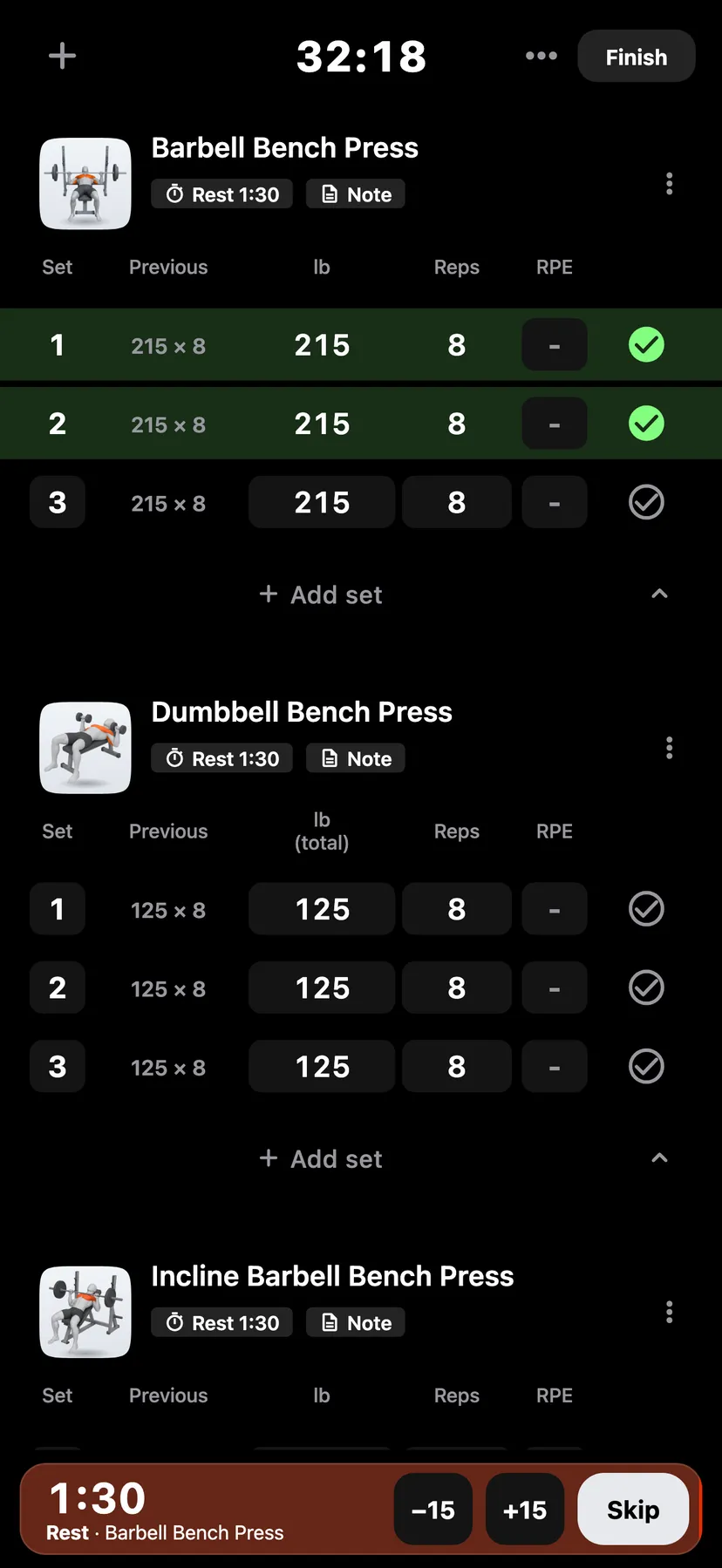
Example data
RPE and Tempo
RPE records how hard a set felt on a scale from 6 to 10. Tempo records the seconds for each phase of a rep as four digits. Both are optional.
WhereTrainthena workoutthena set row
- 1
Tap the set's cell in the RPE column. The sheet is titled "How hard was it?".
- 2
Tap a row from 6 to 10. Each row says how many reps you had left. The tap saves the rating and closes the sheet.
- 3
Remove a rating
Open the sheet again and tap Clear.
- 4
Tap the set's number, then tap the Tempo row. The Set tempo dialog opens.
- 5
Enter the tempo
Type four digits: the seconds down, at the hold, up and at the top. 3110 means 3 seconds down, 1 second hold, 1 second up and 0 seconds at the top. Tap Save.
Details
- The ratings are 6, 7, 7.5, 8, 8.5, 9, 9.5 and 10.
- Once a set has a tempo, the exercise shows a Tempo column.
- The RPE column shows in workouts. The routine builder has no RPE column.
- On Apple Watch you can record a set's RPE.
Related features
Checked against the app on November 13, 2026.