
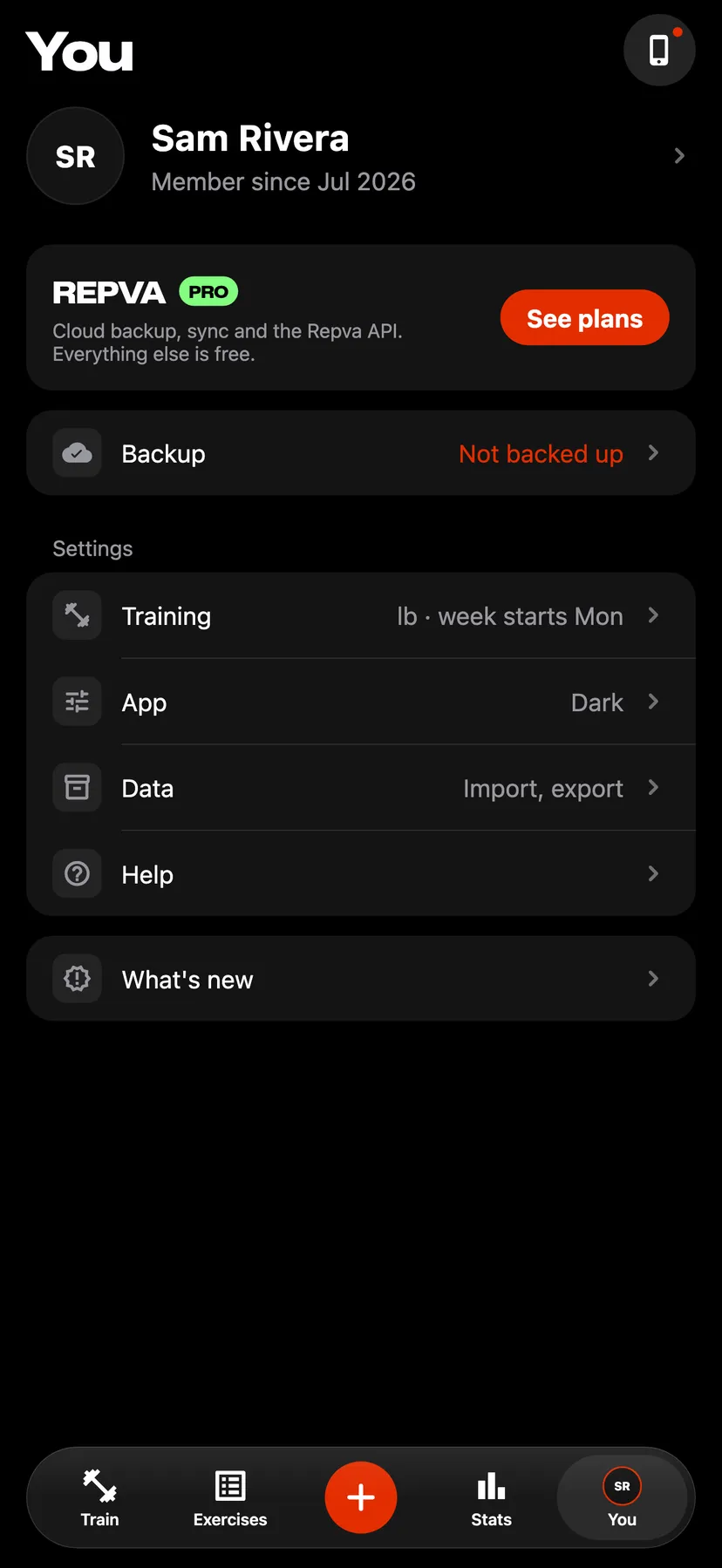
Example data
Cloud Backup and SyncPro
Repva Pro backs up your workouts, routines and photos to your Repva account after every workout and syncs them between your devices. Signing in on a new iPhone restores them.
WhereYouthenBackup
- 1
On You, tap See plans on the Repva Pro banner. The page lists the plans with their current App Store prices and a Free vs. Pro table.
- 2
Sign in and subscribe
Choose a plan. Repva asks you to sign in with Continue with Apple or Continue with email, and the purchase is confirmed in Apple's sheet.
- 3
On You, tap the Backup row. With Pro on, the row reads Backed up and Repva cloud reads Synced. When Repva cloud reads Not synced, the sheet gives the reason.
- 4
Restore on a new iPhone
On the opening screen, tap Sign in and sign in to the same Repva account. Your backed-up workouts download.
Details
- Repva Pro adds cloud backup and sync, and the Repva API. Every other feature is free and works without an account.
- Repva Pro is a paid membership bought in the app through Apple, and it needs a Repva account. Pricing is subject to change.
- When you subscribe, the log on this iPhone moves into your account and uploads.
- If you cancel, Pro stays on until the end of the period you paid for.
- When Pro ends, backup and sync stop. Nothing on your iPhone is deleted or locked, every workout, routine and custom exercise stays editable, and the copy in your account stays until you delete the account. Renewing uploads what you logged in between.
- Repva saves every change on your iPhone first. Offline changes sync when the iPhone is back online.
- Step counts are not backed up. They stay on your iPhone.
Related features
Checked against the app on November 16, 2026.