Rest Timer on the Lock Screen
The rest timer counts down on the Lock Screen and in the Dynamic Island. Your iPhone alerts you when the rest is over.

Repva is our iPhone app for logging workouts. While you log, it shows the weights and reps from your last session, starts the rest timer when you tick off a set, and tells you when a set beats your record.
Repva is in development and isn't on the App Store yet.
The rest timer counts down on the Lock Screen and in the Dynamic Island. Your iPhone alerts you when the rest is over.
After each workout, Repva shows its duration, volume, working sets, records and the muscles it worked, then each exercise with its top set and its sets.
Every exercise has a page with its chart, its records, every session you've logged and how-to instructions.
Start a routine or an empty workout on Apple Watch, log sets with the Digital Crown and use rest timers. Turn on Live Sync, and a workout started on either device shows on both.
Repva has 53 features. 51 are on Free, and 2 need Pro.
Enter the weight and reps for each set, then tick it when it's done. Each exercise remembers whether you log it in kg or lb.
The Previous column shows the same set from your last workout, and a tap copies it in. Hold it to choose from your last 5 sessions.
Ticking a set starts a rest timer, 90 seconds unless you set another length on the exercise. The countdown sits at the bottom of the workout with −15, +15 and Skip.
The rest timer counts down on the Lock Screen and in the Dynamic Island. Your iPhone alerts you when the rest is over.
Mark a set as a warm-up or a drop set, or tag it as failed. Warm-ups stay in the log but don't count toward volume or records.
Rate how hard a set felt as RPE, and note its tempo. Both are optional.
Link exercises into a superset. Ticking a set in a superset moves you to the superset's following exercise.
Swap an exercise during a workout. The sets you've ticked stay with the first exercise, and the rest move to the new one.
Write a note under any exercise in a workout. Pin it, and it shows every time you do that exercise.
While you type a set, a line under it shows how many reps would set a record at that weight. When you tick a set that beats a record, a banner names the record and the gain.
Pick an earlier day on Train's week strip or the Training calendar to log a workout you didn't record at the time. You can change any workout's date, start time and duration.
Add stretches to any workout. Each one logs reps or a timed hold.
Repva saves each set on your iPhone as you log it, so you can train with no signal.
Start a routine or an empty workout on Apple Watch, log sets with the Digital Crown and use rest timers. Turn on Live Sync, and a workout started on either device shows on both.
Save the exercises, sets, rep targets and rest times you use, then start a workout from the routine with one tap. Repva has no limit on routines.
Group routines into folders and drag them into any order.
If you want, put routines on days of the week, and Repva shows them on Train that day. A skipped routine doesn't carry over or show as missed.
Turn any past workout into a routine. When a workout differs from the routine you started it from, Repva asks whether to update the routine.
Each routine charts the volume, reps or duration of every workout you started from it, and shows the muscles it works.
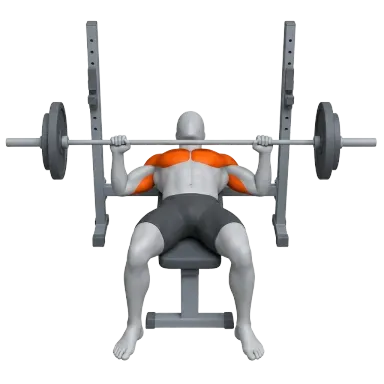
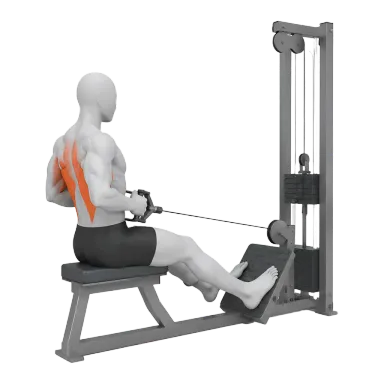
The app has hundreds of exercises, each with an illustration, instructions, equipment and the muscles it works. Most have an animation you can play.
Add your own exercises one step at a time, with the muscles they work and how you log them. One no workout has used can be deleted. Repva has no limit on custom exercises.
Every exercise has a page with its chart, its records, every session you've logged and how-to instructions.
An exercise's page lists the heaviest weight you've lifted for each rep count from 1 to 12.
Top Exercises, opened from Stats, ranks the exercises you've done in the most workouts over 30 days, 3 months, a year or all time, with each one's best set.
Repva tracks your best weight, reps, estimated one-rep max and set volume for every exercise. A set that beats one of these records shows a trophy in place of its number as soon as you tick it, and the workout summary lists every record.
Stats opens on the lifts you trained most, each with a line of its sessions and its change over the last 3 months, 6 months, year or all time. Lifts lists every one, with search, an order and a muscle filter.
Stats counts the records you set each month for the last 12 months. Records lists every record you hold, newest first, for one month or one exercise.
The Training tab in Stats shows this week's workouts and time next to last week's. A trend shows your workouts, sets, volume or time as bars, and a grid shows the days you trained in the last 6 months.
Charts show your strength, volume, bodyweight and steps back to your first workout.
The Muscles tab in Stats shows the working sets a week each muscle group received over 30 days, 3 months, a year or all time. Each period except all time is compared with the one before.
The Report tab in Stats totals a month of workouts, training time, volume, records and muscles, and you can share it as images. You can open the report for any month or year back to your first workout, or for all time.
The Cardio page in Stats charts your time, distance and sessions, lists your 3 newest sessions with their pace, and adds up your all-time totals. Pick an activity, such as running, to see only that.
Repva finds your fastest mile, 5K, 10K, half marathon and marathon in your Apple Health runs, and your fastest distances in your rides, walks and hikes.
The Mobility page in Stats shows this week's stretching days and time, a trend, and the 5 stretches you've done most in the last 90 days with your longest hold.
After each workout, Repva shows its duration, volume, working sets, records and the muscles it worked, then each exercise with its top set and its sets.
Share a workout as a square image. Choose a record, the totals, the muscles worked or the exercise list, in orange, black or paper.
History on Train lists every workout you logged under its week, with the week's workouts, time and records. Its search button finds a workout by its name or an exercise in it.
The calendar button on Train or Stats opens each month's training days. Tap a day to see what you did or to log a workout you missed.
The streak counts the weeks in a row that have at least one strength workout. The current week never breaks it.
When your streak's week is still empty, Repva sends one reminder at 6 PM on the week's last day. You can turn it off on You, under App, in Notifications.
Log bodyweight, body fat, lean mass and your waist, chest, hip, arm and thigh measurements, and see each one on a chart.
Repva imports runs, rides, swims and 22 other kinds of cardio from Apple Health, including workouts from your Apple Watch. You can edit or delete them like any other workout.
Repva can copy each day's latest weigh-in from Apple Health into your bodyweight.
Turn on Save my workouts, and Repva saves each workout you finish to Apple Health as strength training. Editing or deleting the workout in Repva changes Health too.
Turn on Steps to see today's count from Apple Health against your usual day, set a daily goal, and look back over the last 30 days and the whole year. Your step counts never leave your iPhone.
A small or medium widget shows today's steps and how many workouts you've logged this week.
Choose a light or dark look, or let Repva follow your iPhone's setting. You can also pick the app icon.
Repva imports your workout history from a Hevy or Strong CSV export, after a preview where you match any exercise names it doesn't recognize. Routines aren't imported.
Export everything you've logged as a JSON file or as CSV spreadsheets.
Repva works without an account, and everything you log stays on your iPhone.
On You, under Data, Backup and sync saves your log as one file you keep in Files, iCloud Drive or email, and restores it on any iPhone. You can also include it in this iPhone's iCloud Backup.
Pro backs up your workouts, routines and photos to your Repva account, syncs them between your devices and restores them on a new iPhone. If Pro ends, everything stays on your iPhone.
Pro includes an API key for your account. A script or an AI app uses it to read and change your workouts, routines, exercises and body measurements.
Repva is free with no limits and no account. Your workouts stay on your iPhone. Free logs as many workouts, routines and custom exercises as you add, logs from Apple Watch and shows every stat back to your first workout. Pro adds cloud backup and sync to your Repva account.
| Feature | Free | Pro |
|---|---|---|
| Workouts | Unlimited | Unlimited |
| Routines | Unlimited | Unlimited |
| Custom exercises | Unlimited | Unlimited |
| Workout history | All | All |
| Personal records | All | All |
| Stats and charts | All time | All time |
| Import from Hevy and Strong | Included | Included |
| Export to JSON and CSV | Included | Included |
| Apple Health cardio and steps | Included | Included |
| Rest timer on the Lock Screen | Included | Included |
| Home Screen widget | Included | Included |
| Apple Watch logging | Included | Included |
| Cloud backup and sync | Not included | Included |
| Repva API | Not included | Included |
If Pro ends, everything on your iPhone stays and you can still edit it. Backup and sync stop, and your account keeps its copy until you delete the account. Pricing is subject to change, and members keep their rate while their membership stays active.