
Example data
Log a Past Workout
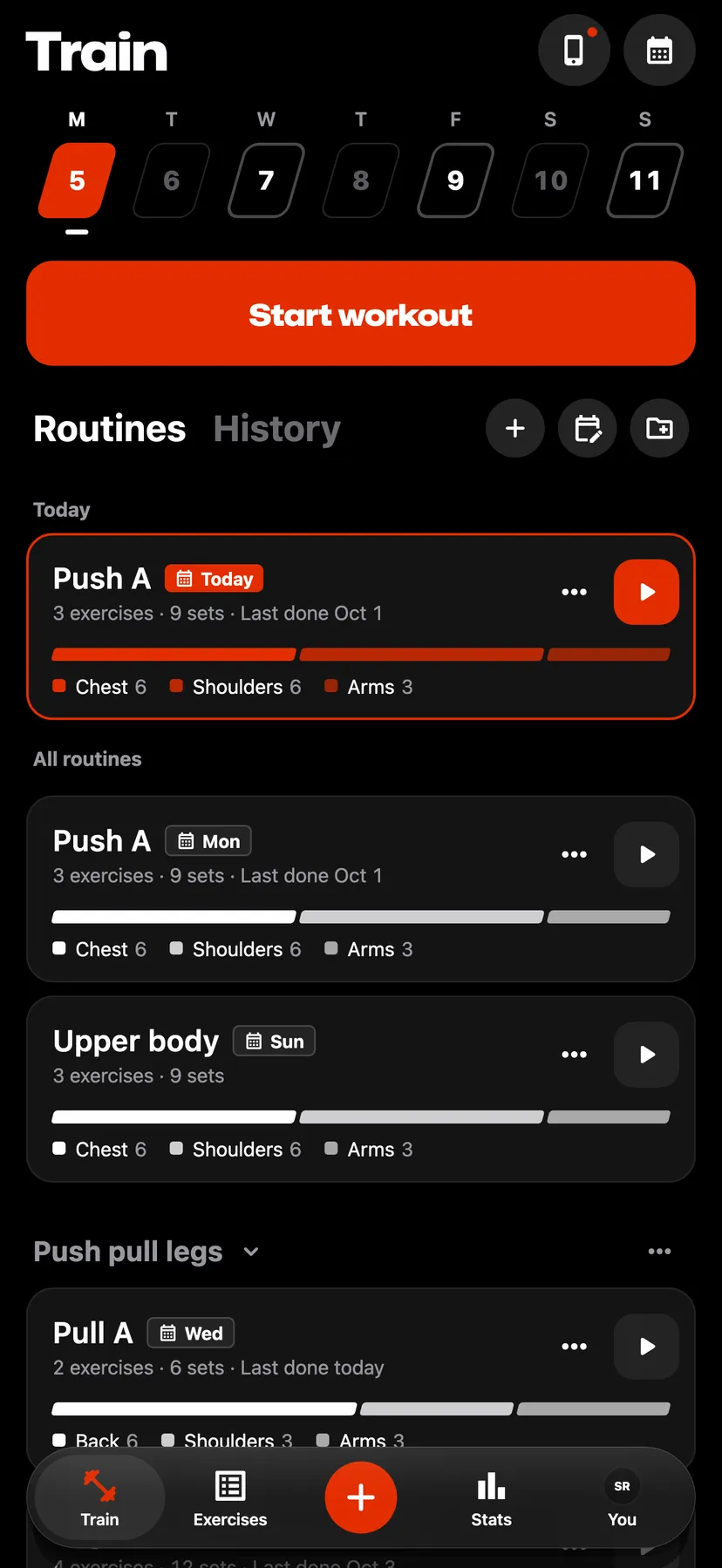
Log a workout for an earlier day from Train's week strip or the Training calendar. You can also change the date, start time and duration of any saved workout.
WhereTrainthenTraining calendar
- 1
Tap a day up to today on Train's week strip. For an earlier week, tap the calendar button on Train or Stats to open Training calendar and tap the day.
- 2
Tap Log workout. On a day that already has a workout, tap Log another workout under its workouts.
- 3
Enter the workout
Add exercises and type each set's values. Sets in a past log start ticked.
- 4
Set the time
Tap the ⋯ button in the header, then Date and time. Change Date, Start or Duration.
- 5
Save the workout
Tap Finish and confirm. The workout's summary opens.
Details
- A log for an earlier day starts with an end at the current time of day and a start one hour before it.
- To change a saved workout's time, hold the workout in History, tap Edit workout, then use the ⋯ button and Date and time. Tap Save changes.
- Repva refuses a time in the future. A duration can be up to 24 hours.
- The rest timer and hold timer do not run in a past log or an edit.
- Records in a past log are compared only with workouts before its date.
- A workout in progress stays open while you log a past day.
Related features
Checked against the app on November 13, 2026.