
Example data
Workout Summary
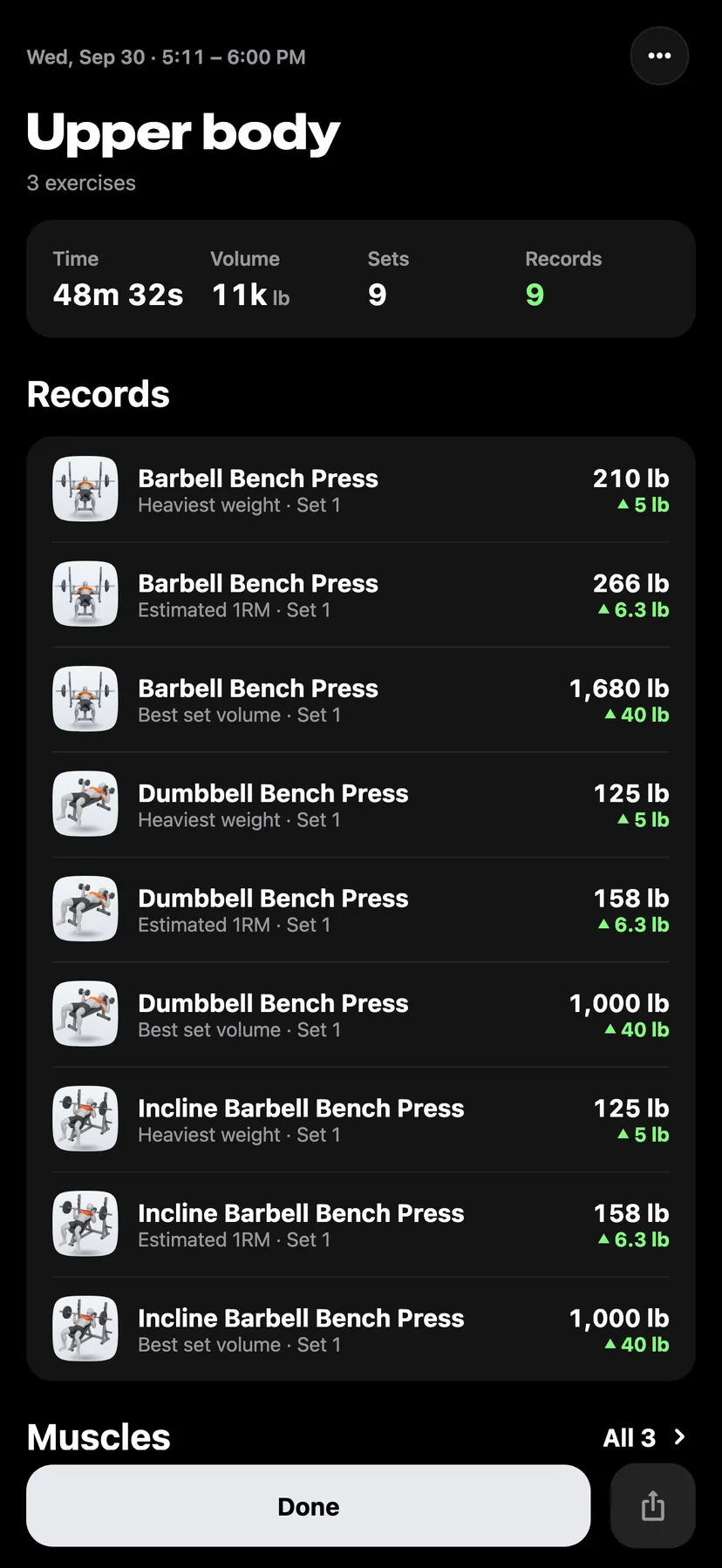
The workout summary shows one saved workout: its time, volume, working sets and records, the muscles it worked, and every set. It opens when you finish a workout, and any saved workout opens the same page.
WhereTrainthenTraining calendar
- 1
The card at the top shows Time, Volume, Sets and Records. Sets counts working sets.
- 2
Records lists each record the workout set: the exercise, the record, the set that holds it, the new value and the gain. Tap a record to see the value it beat. A workout without records has no Records section.
- 3
Muscles shades a body map by the workout. Under it are the six muscles with the most working sets, each with a bar: red for direct work and a lighter red for work that assisted. The link at the top right opens every muscle under Today and Week.
- 4
Exercises lists each exercise with its top set and the change from the last session of that exercise. An exercise that set records shows how many. Tap an exercise to open its sets under Set, Previous and what you logged, as they read in a live workout. Previous is the set in the same place last time, and the change from it is at the end of the row. The set that holds a record shows a trophy; tap it to see the records it holds. The arrow at the end of a row turns when it is open. With two or more exercises, Expand all at the top of the card opens every exercise, and Collapse all closes them.
- 5
Tap Done to close the summary. The share button beside Done makes an image of the workout.
- 6
Tap the calendar button on Train or Stats to open Training calendar. Tap a day, then tap the workout's name under the calendar.
Details
- Working sets are working, drop and failed sets. Warm-up sets show among an exercise's sets and are not counted.
- Volume is weight × reps over working and drop sets.
- The first workout that includes an exercise sets that exercise's starting values and counts no record for it. Records shows 0 when a workout beat none.
- When the first strength workout of a week adds that week to a streak of 2 weeks or more, the summary that opens after Finish shows the streak under the workout's name. Tap it to open the streak. A summary opened later does not show it.
- A set counts 1 for each target muscle and half for each secondary muscle. Week counts the workout's whole week, this workout included.
- A cardio workout shows Distance, Time and Pace, or Speed for cycling, over Avg HR, Max HR, Energy and Elevation. A figure that was not recorded shows a dash.
- A strength exercise's top working set is compared with the last earlier session of that exercise.
- The button at the top right of a saved workout's summary opens Edit workout, Rename workout, Save as routine and Delete workout.
Related features
Checked against the app on November 14, 2026.