
Example data
Workout History
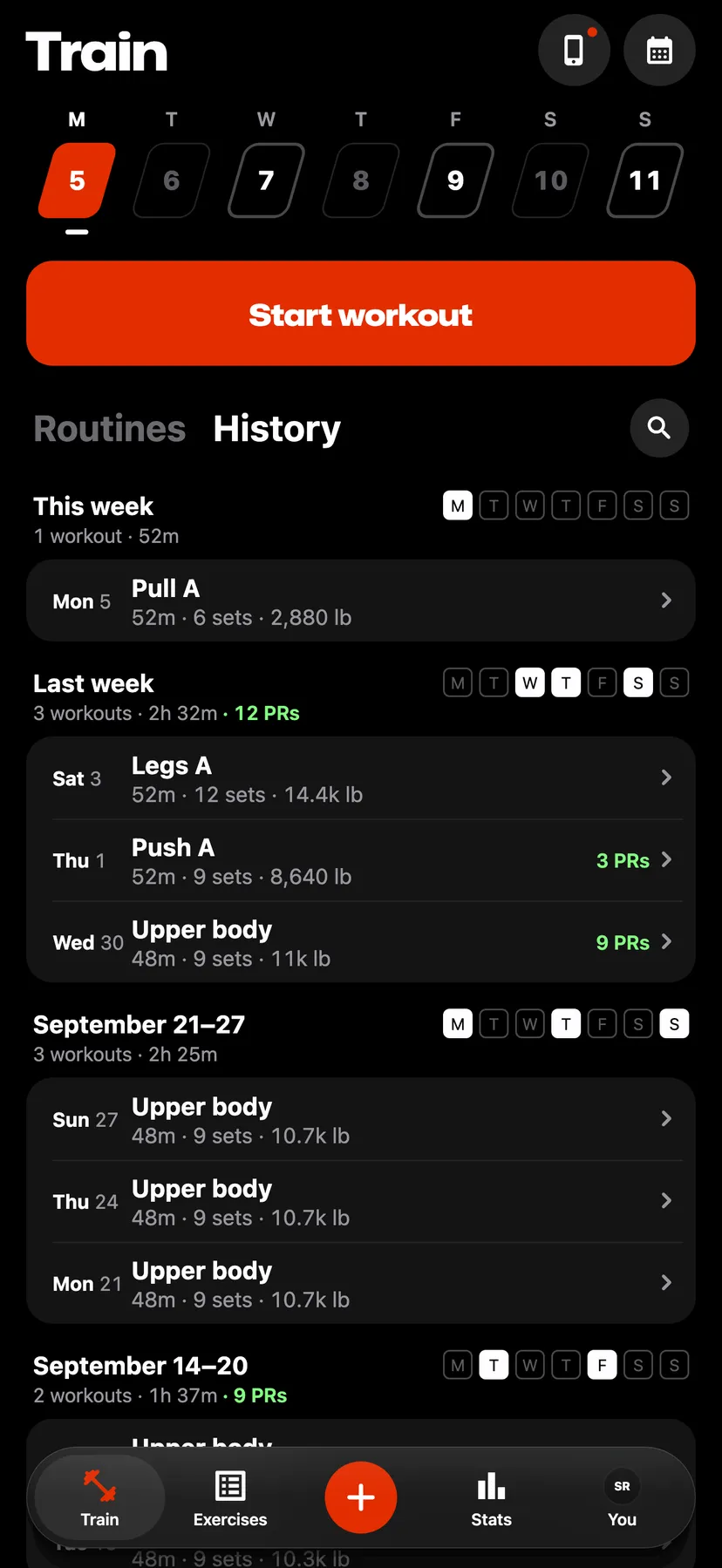
History on Train lists every workout you logged, newest first, under the week it was done in.
WhereTrainthenHistory
- 1
On Train, tap History in the heading beside Routines.
- 2
Read a week
Each week's heading gives its workouts, its time and the records set in it. The workouts of the week are listed under it.
- 3
Tap a workout to open its summary. Hold it to open its actions.
- 4
On History, tap the search button at the right of the heading. Workout history opens with Search workouts ready to type in. Type a workout's name or an exercise in it.
- 5
On Workout history, tap the menu beside the search field and choose All, Strength or Cardio.
Details
- A search finds abbreviations and joined words: bb row finds Bent-Over Barbell Row, and benchpress finds Bench Press. The words can be in any order.
- Strength is every workout that is not all cardio. Cardio is a workout whose every exercise is cardio.
- A week's heading counts every workout of the week, whatever the menu shows.
- When an import finishes, Repva opens Workout history.
Related features
Checked against the app on November 14, 2026.